

Ecommerce sellers
You make and sell things. Bookkeeping is the part you put off — and the part you can stop doing.

Ecommerce → QuickBooks, on autopilot
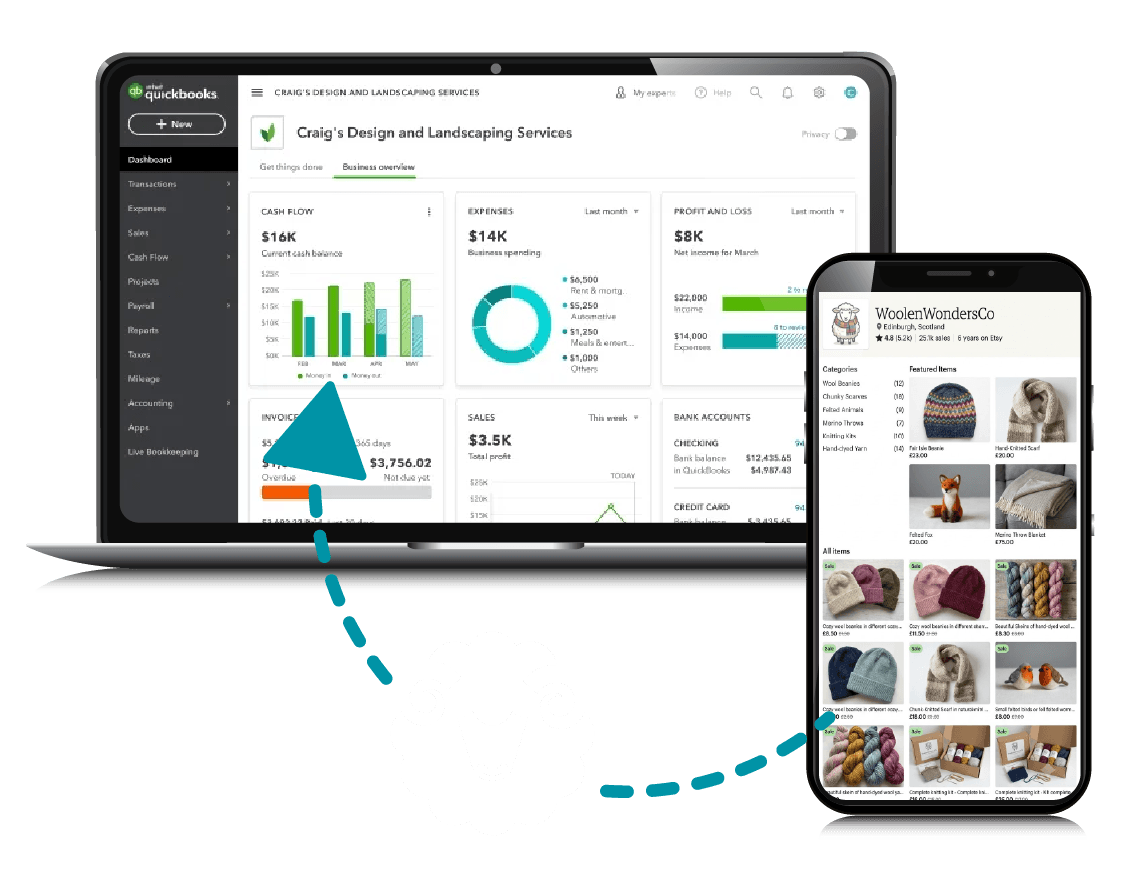
Balance Sheep connects your Etsy shop to QuickBooks Online, automatically posting sales, fees, and payouts while keeping every deposit reconciled. No manual entry, no CSV imports, no bookkeeping headaches.
No credit card required.
What it does
Automatically imports and organizes your sales activity.
Keeps transactions matched — from sales to expenses — and your books balanced.
Balance Sheep currently supports Etsy, with additional ecommerce platforms planned for future releases.
Multiple currencies and tax regimes handled correctly.
Prevents duplicate transactions from reaching your books.
Sync your listings across platforms so every sale lands in the right account.
Keeps your books accurate. If something needs you, you get a plain-language fix card — resolved in a click.
Connect once with trusted sign-in; no spreadsheets to babysit.
How it works
Two secure one-click connections. We detect your shop automatically and never see either password.
Orders, fees and payouts flow into QuickBooks on their own schedule, mapped to the right accounts.
Everything stays reconciled against the money that actually landed, so your books are ready whenever you need them.
Included in every plan
Plenty of tools can push transactions into QuickBooks. The harder part is proving they’re right.
Balance Sheep also syncs your expenses, fees and bank deposits, then runs a three-way tie-out against the payout your bank actually received. Your QuickBooks balance agrees with real money — not with a pile of imported rows.
Reconciliation is not an upsell. It’s in every tier, including the cheapest.
Who it’s for
You make and sell things. Bookkeeping is the part you put off — and the part you can stop doing.
Several channels, several currencies, more than one tax regime — all landing in one set of books that agree.

Clean, properly categorised entries that reconcile on their own — and no client backlog to unpick at year end.
Bookkeeper or accountant? Become a partner — a free partner account and 20% recurring referral, or wholesale pricing on firm-billed accounts.
Transparent pricing
Reconciliation isn’t an upsell here. Pick a plan by your monthly order volume — the feature list is identical on all of them.
2 months free
We’re not running a launch discount. The first 25 customers — or the first 60 days, whichever comes first — keep their price for 24 months. After that you stay on the founding rate for as long as the plan exists; nothing re-prices behind your back.
$39/mo
billed annually — $468/yr
$79/mo
billed annually — $948/yr
$149/mo
billed annually — $1,788/yr
from $349/mo
custom terms
All prices in USD. 14-day free trial, no credit card required. Pricing effective 22 August 2026.
Correct Canadian sales tax, out of the box.
Go over in a busy month? Nothing breaks, and we don’t charge overage. We’ll only suggest moving up if it becomes your new normal.
How we compare
Fair question. Here’s the honest answer to both versions of it.
It costs nothing, and it’s widely reported to sync your fees and charges while skipping the actual sales — which leaves a backlog of missing income and no obvious way to fix it.
The free one doesn’t post your sales.
The established players charge roughly three times as much for the equivalent plan, and are built for warehouses and multi-channel operations rather than a person who makes things.
Order-level detail and a real payout tie-out, at about a third of the price.
Correct Canadian sales tax, out of the boxGST/HST carve-outs, marketplace-facilitator handling, and CAD/USD FX done right — a claim no other tool in this category makes.
Accountants & Bookkeepers
Free partner account, one place to see every client, and 20% recurring on everyone you bring across.
Become a partnerFrequently asked questions
Can’t find what you’re looking for? Contact our customer support team.
You get 14 days free with no credit card. Connect your store and QuickBooks and it starts syncing straight away, so you can watch a full payout cycle land and reconcile before deciding. If you don’t pick a plan the sync simply pauses — everything already written into your QuickBooks stays exactly where it is, because it’s your data in your company file.
One order is one sale from your store, however many items are in it. A basket with six items is one order, not six. Refunds, fees and payouts attached to that order don’t count again — you’re only counted once, for the sale itself.
Yes, on every plan including the cheapest. Balance Sheep posts your sales as clean sales receipts, syncs your expenses, fees and bank deposits, then runs a three-way tie-out so your QuickBooks balance agrees with the payout your bank actually received. We don’t charge extra for the numbers being right — there is no correctness upsell here.
Your sync keeps running and we don’t charge an overage fee. Sellers are seasonal, and we’re not going to punish you for a good month. If a busier month becomes your new normal we’ll suggest moving up a plan, but nothing breaks in the meantime.
Yes. It works alongside what’s already in your company file rather than replacing it, and you choose which accounts everything maps to. A deduplication guard means that if another tool has already posted an order, we won’t post it a second time.
Etsy is live today. Balance Sheep is built as a platform rather than a single-store connector, so adding a channel later won’t change how you work. It supports sellers in the US and internationally, including multi-currency and cross-border sales tax.
We connect through official APIs with one-click authorisation, so we never see or store your store or QuickBooks passwords, and you can revoke our access from your own account settings at any time. Traffic is encrypted in transit, access tokens are encrypted at rest, and we don’t sell your data or your buyers’ data.

Fourteen days free — long enough to watch a whole payout cycle reconcile itself.
Start your free 14-day trialNo credit card required. Cancel any time.